zzZ
Swarm for Synology
Self-hosted monitoring for Synology NAS

Every Synology.
One swarm.

Swarm watches every NAS you look after: disks, pools, backups and DSM updates, for every customer, from one portal on your own server.

DSM 6.2 to 7.3One Go binary or Docker imageOpen source, AGPL-3.0
Health & SMARTHyper BackupActive BackupRestore proofDSM 6 & 7Rollouts in ringsDSM login without port forwardingWeb terminalWasabi cloud backupMonthly reportsTeams, Zammad, HaloPSA, JiraOpenID ConnectMCP for AI assistantsAGPL-3.0Health & SMARTHyper BackupActive BackupRestore proofDSM 6 & 7Rollouts in ringsDSM login without port forwardingWeb terminalWasabi cloud backupMonthly reportsTeams, Zammad, HaloPSA, JiraOpenID ConnectMCP for AI assistantsAGPL-3.0
Adopt

Pair a NAS in under a minute.

Adoption works like UniFi. The NAS shows a pairing code, you type it in the portal and pick the customer. The agent signs every report with its own ed25519 key.

K7Q4MX
  1. Install the Swarm packageOn the NAS, from Package Center or as a file.
  2. Type the pairing codeIt is shown in the Swarm window in DSM.
  3. Pick a customer and siteThe first report arrives seconds later.
swarm.example.com/adopt
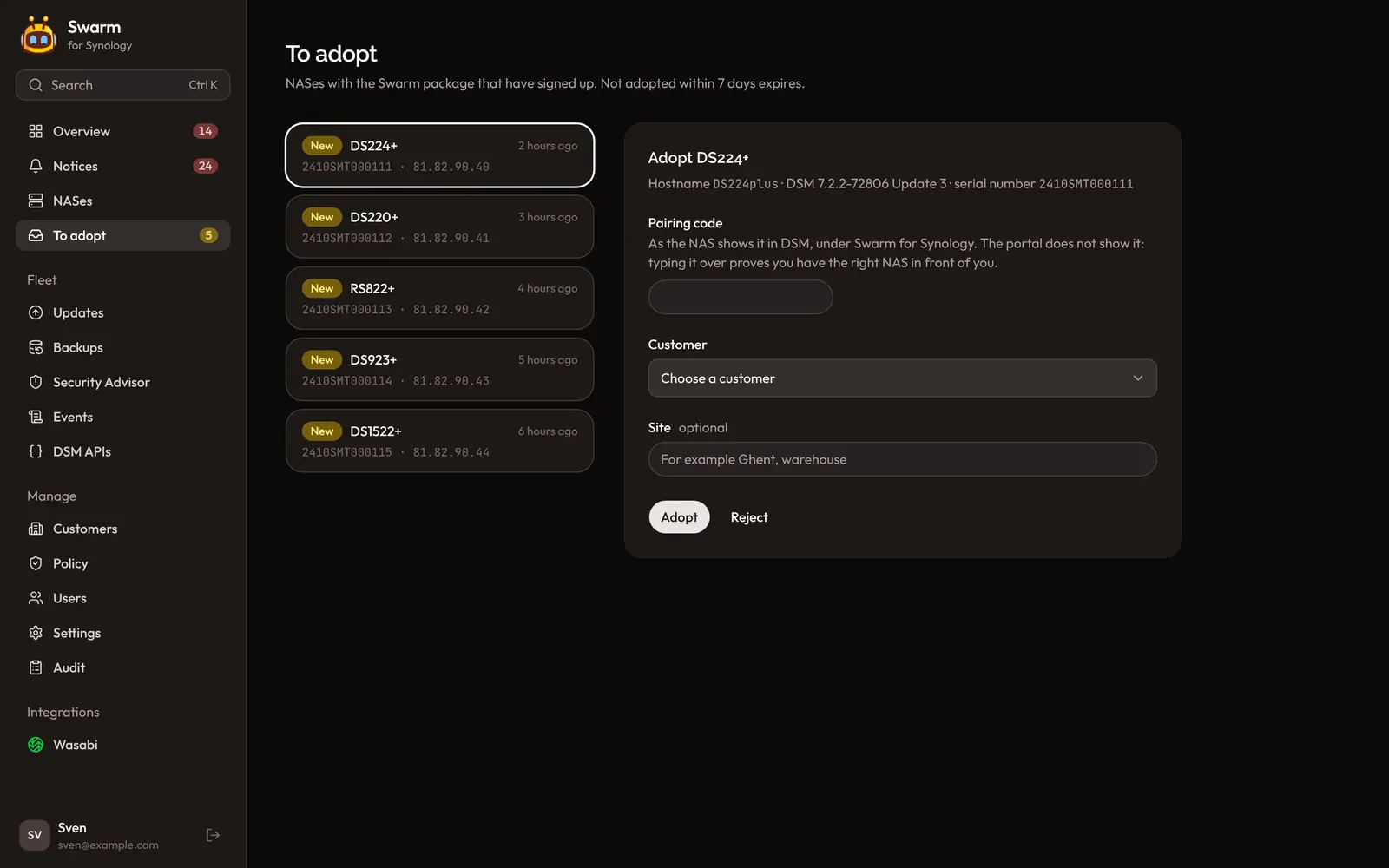
The To adopt page with five NAS units waiting and the pairing form for a DS224+
Portal › To adopt
Overview

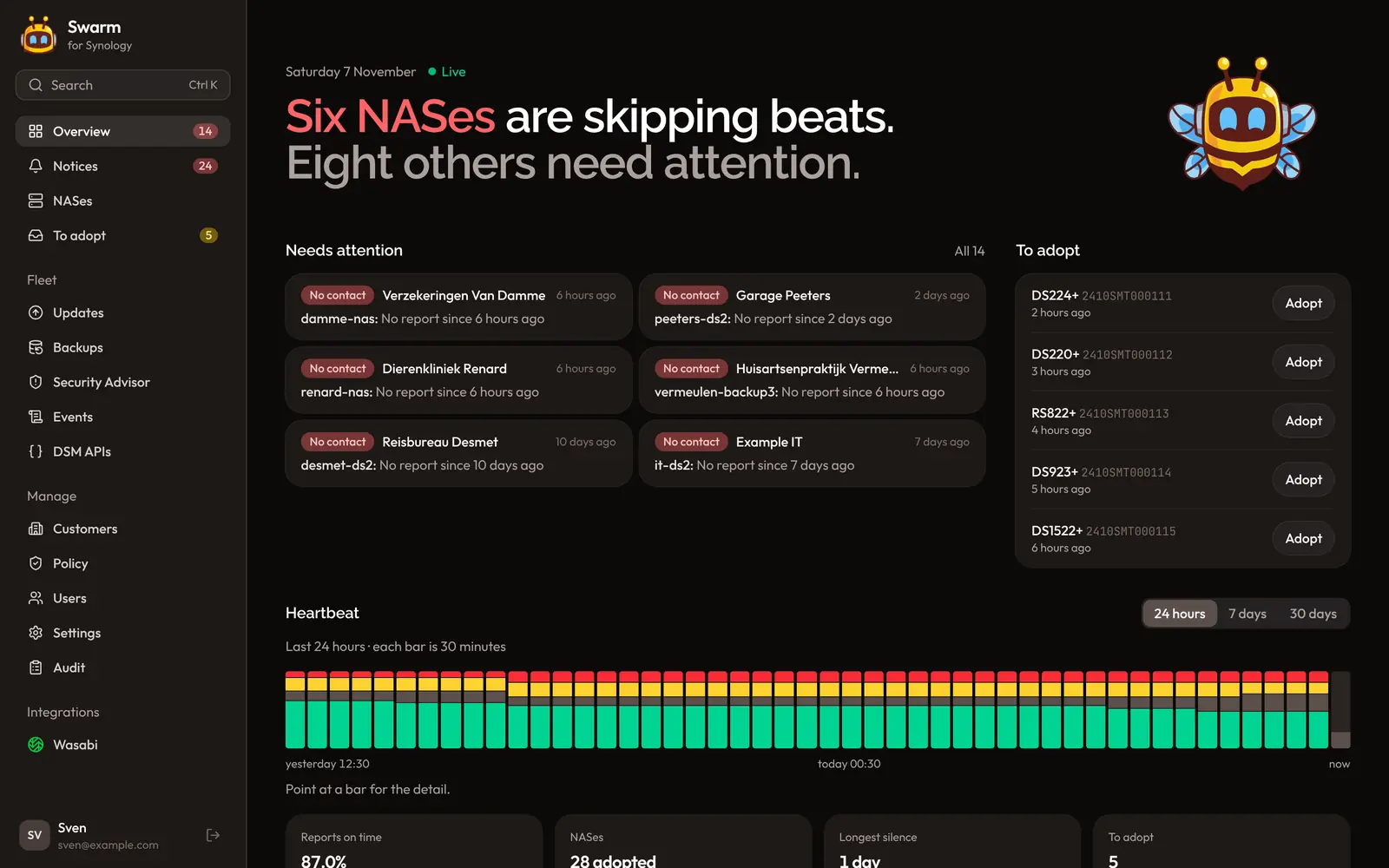
The whole fleet on one screen.

Which NAS stopped reporting, which volume fills up, which customer needs a call today. The heartbeat shows every report of the last day, a bar per half hour.

swarm.example.com/
Swarm overview: six NAS units skipping beats, eight need attention, a heartbeat chart and five NAS units to adopt
Portal › Overview, with a demo fleet of 28 NAS units
Health

Trouble shows up before it hurts.

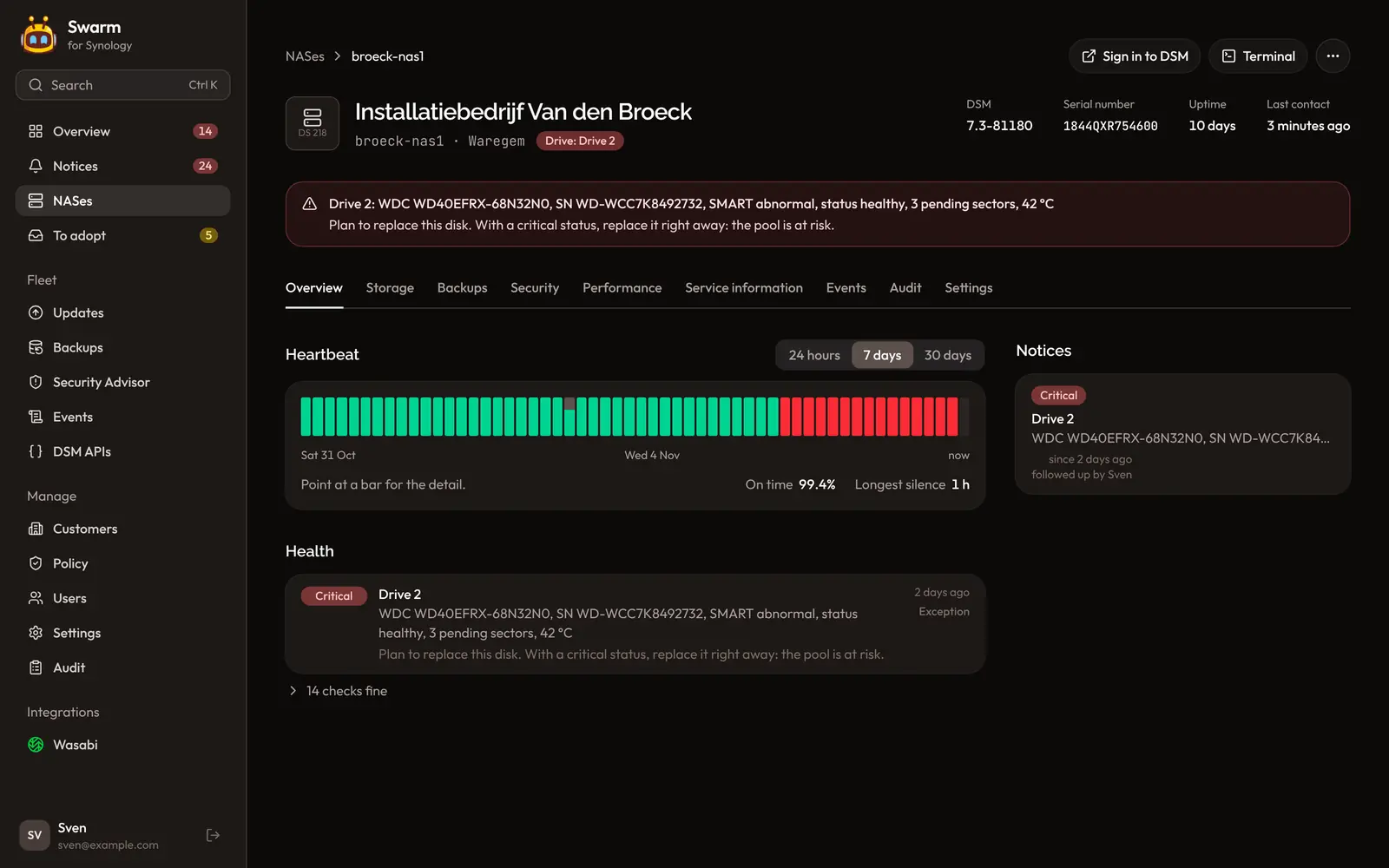
Pending sectors on drive 2, a pool that lost a disk, a volume that is full within 30 days. Swarm raises a notice with advice, and closes it on its own when the check is fine again.

  • Volumes
  • RAID and pools
  • SMART per disk
  • Temperatures
  • Hyper Backup
  • Snapshots
  • DSM updates
  • Cloud Sync
  • Task Scheduler
  • Certificates
  • Admins without 2FA
  • 30-day forecast

Notices go where you already work:

MailTeamsZammadGLPIJiraZendeskFreshdeskHaloPSAOdooWebhook
swarm.example.com/devices/broeck-nas1
A NAS page with a critical notice: drive 2 has a SMART warning and three pending sectors
Portal › NAS › Overview
Backups

Backups you can prove.

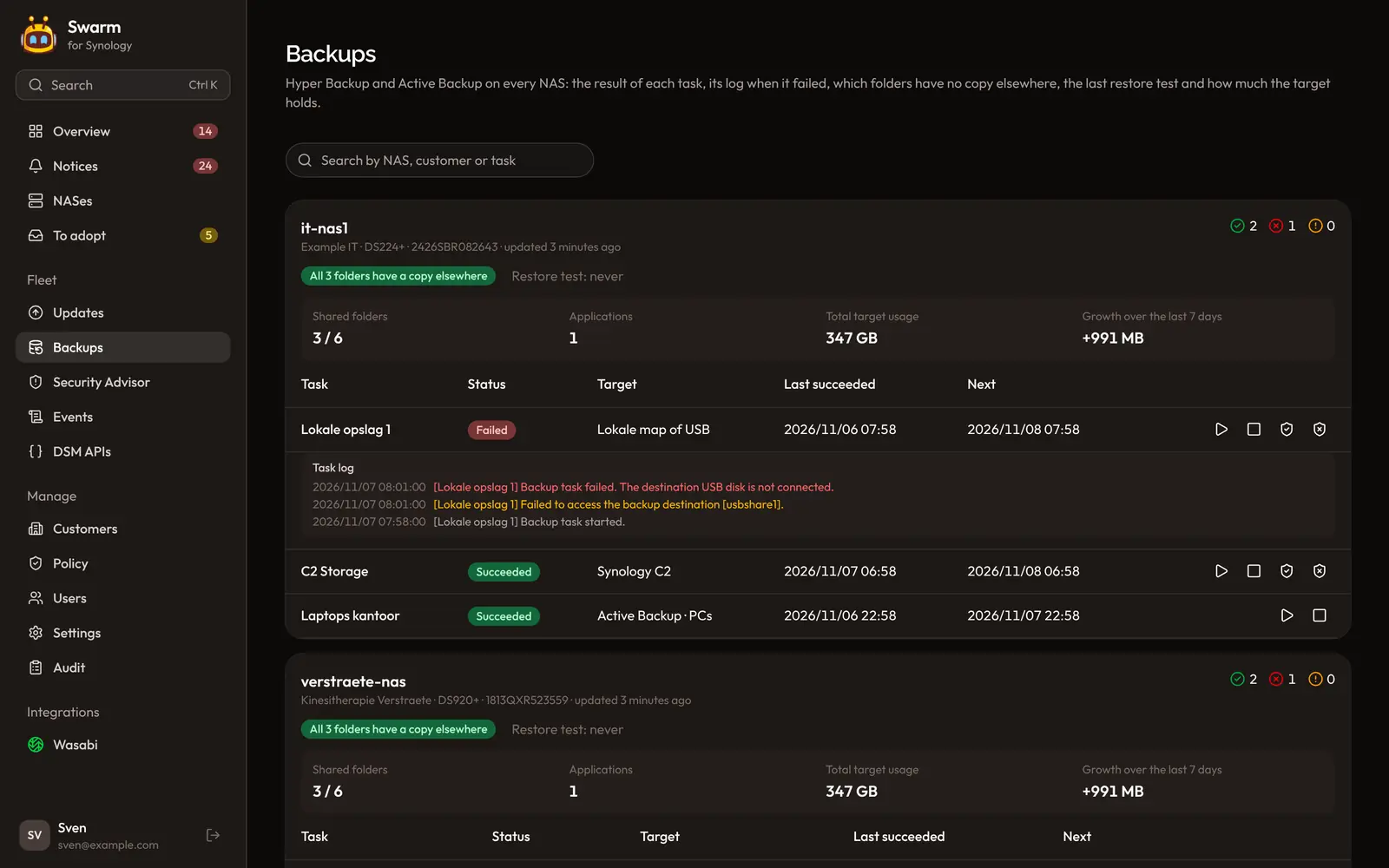
Every Hyper Backup and Active Backup task, its last result and its log, and which shared folders have no copy anywhere else.

Restore proof: Swarm drops a canary file in each task, reads it back from the backup and compares it. Cloud backup: one click gives a NAS its own Wasabi bucket and key.

swarm.example.com/backups
The Backups page with tasks per NAS, a failed local copy and its log
Portal › Backups
Hands on

Fix it without SSH.

Sign in to DSM and open a root terminal from the portal, over an outgoing tunnel from the agent: no port forwarding, a reason for every session, and a recording.

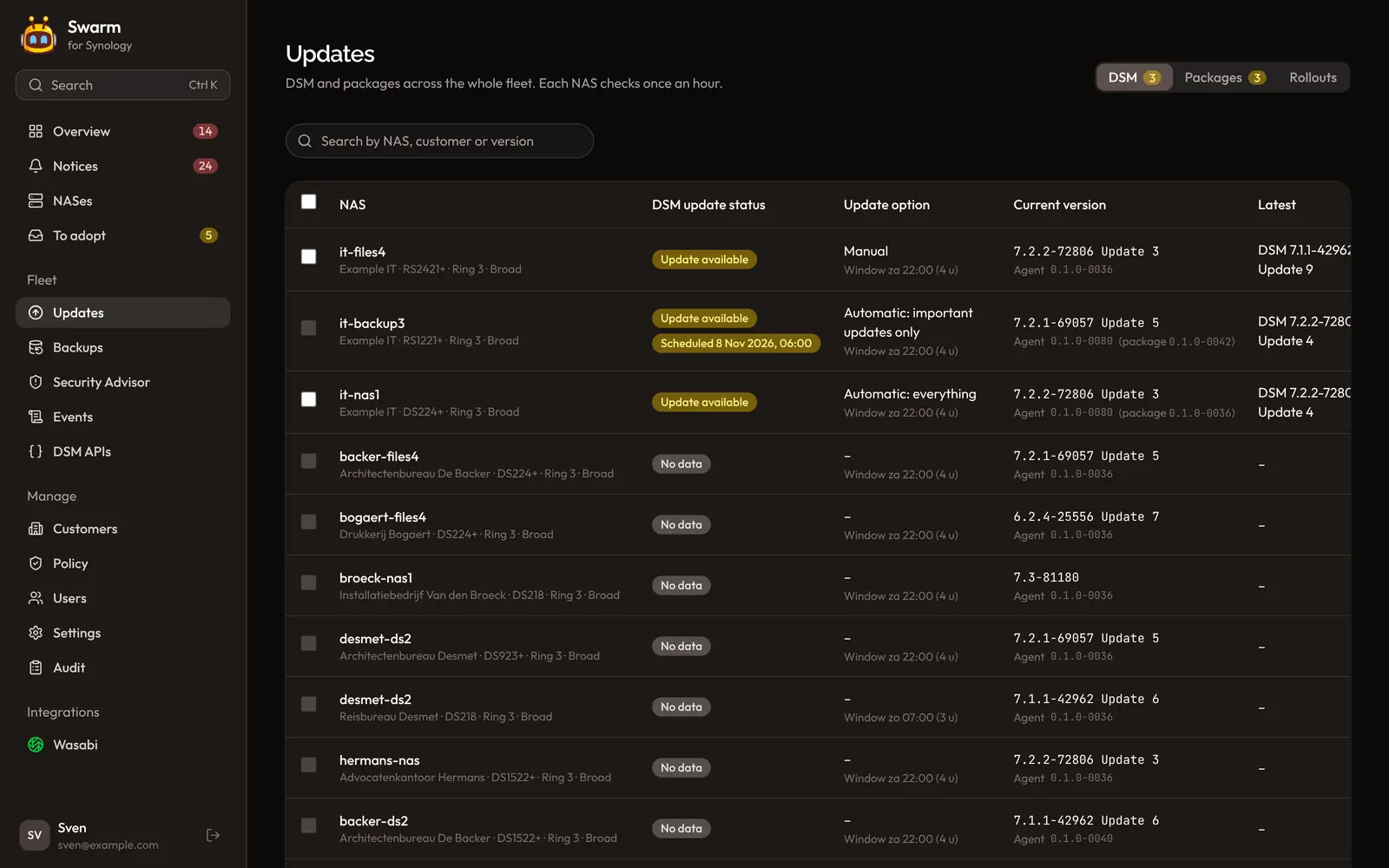
DSM updates in rings. A new version reaches your test lab first, and the next ring only when the ring before came back healthy.

Ring 0Test lab
Ring 1Early
Ring 2Pilot
Ring 3Broad
swarm.example.com/updates
The Updates page with DSM updates available per NAS, scheduled installs and maintenance windows
Portal › Updates
Quiet hours

All green? Then the bee sleeps.

Quiet hours and maintenance mode keep the pager still. Notices close on their own when a check is fine again, so a green fleet means nobody needs to look.

And when you want to ask instead of click, the built-in MCP server lets Claude and other AI assistants read the fleet.

22 of 22 NAS units are fine · quiet hours until 07:00

Also in the box
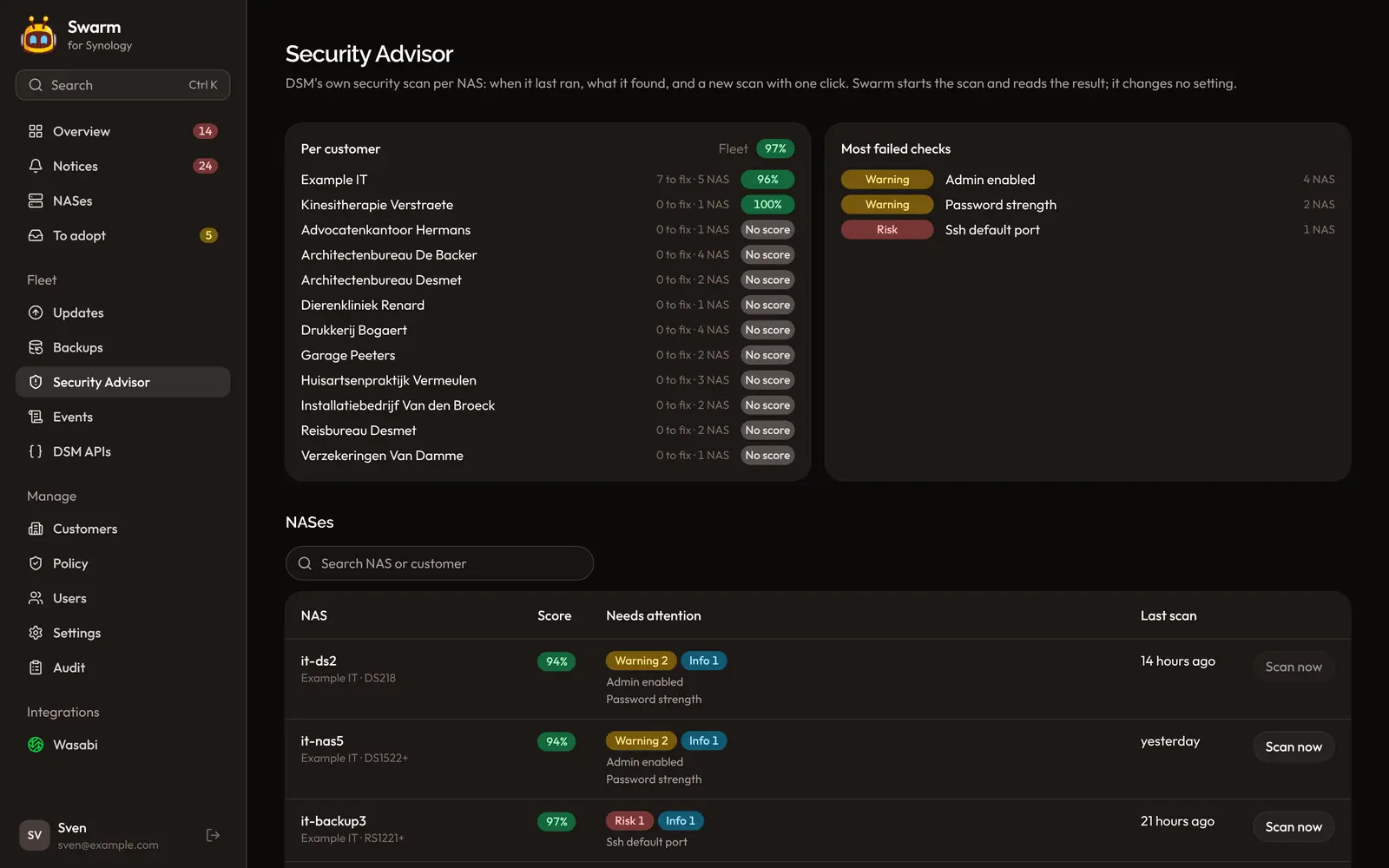
Security Advisor scores per customer
Security AdvisorDSM's own scan for every NAS, scored per customer.
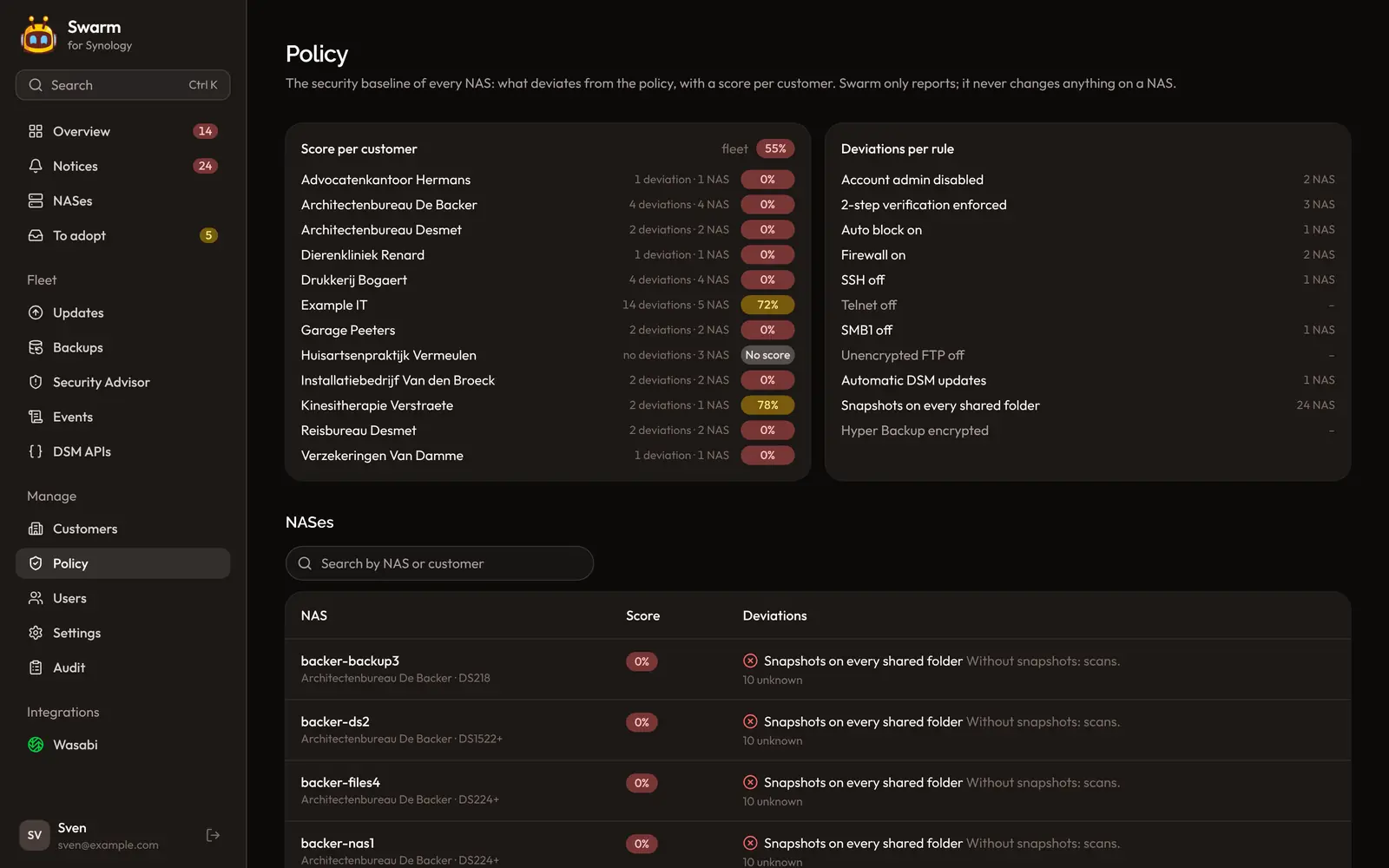
Policy page with deviations per rule
PolicyOne baseline for the fleet. Swarm reports what deviates.
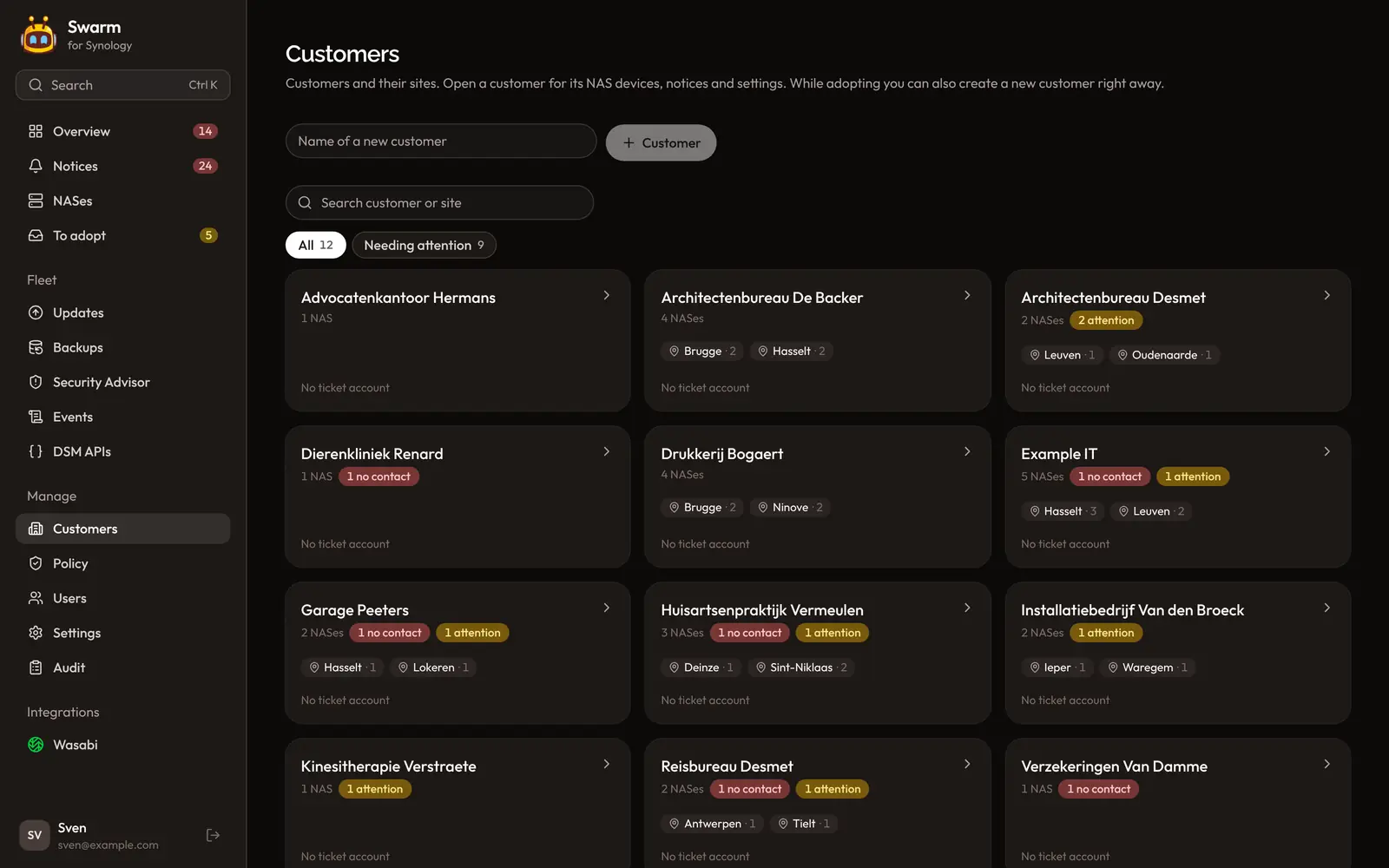
Customers with their sites and open notices
Customers and rolesAccess per customer, sign-in with Entra ID or any OpenID provider.
Run it

Your server. Your swarm.

One Docker image with SQLite. Open the portal on port 8080, install the package on a NAS and adopt it.

docker run -d --name swarm -p 8080:8080 -v swarm-data:/data \
  -e SWARM_ADMIN_EMAIL=you@example.com \
  -e SWARM_ADMIN_PASSWORD='at-least-10-characters' \
  ghcr.io/vbcnv/synology-monitor:main